Which is better for RSI – a trackball or an ergonomic mouse?

July 11, 2011

Which is better for RSI – a trackball or an ergonomic mouse?  An innocuous enough question you might think but it’s a question we received last week and it started me thinking.  We deal with Health & Safety personnel, ergonomists, physiotherapists, OTs, Facilities Managers and Disability Advisors on a daily basis. But what if you have a musculo-skeletal disorder and you work in a small business without these resources – or you’re self- employed?  Where do you start?  It must be a nightmare!

Excluding colour and size variants, we currently offer more than 20 “pointing devices” on our web site and stock a handful of other products (which we don’t promote but hold to meet the demands of key customers).  We have reviewed countless other products but decided not to add them to our portfolio (see the “Innovation” item in our June 2010 eBulletin) and we have seen patent drawings, prototypes and pre-production information about products yet to come.

Many of these devices are accompanied by research-based claims.  Others are based on a hunch or the personal experience of the designer.  Many of the claims are conflicting.  The one universal truth is that the confidence of their marketing bears little relationship to the credibility of their assertions!

Whilst I would love to be able to say “here is the definitive answer”, it is an ergonomic imperative that no one product will address all needs.  The best I can do is to suggest a series of questions that will help an inexperienced individual to think logically about the issues.  Then, with the help of a knowledgeable person (such as one of our outstanding Customer Service team!) it is possible to arrive at a single product or a short list of products that will be most likely to address the individual’s needs.

The questions:

  • Where is the pain/discomfort (finger, thumb, hand, wrist, forearm, elbow, shoulder)?
  • Left or right side or both?
  • Are you left- or right-handed?
  • Is the pain constant or intermittent?
  • If intermittent, is there any specific activity that brings it on?
  • What do you do on the computer (standard office programs, email, graphic design, accounts, PowerPoint creation, war games, poker, CAD/CAM, etc.)?
  • What pointing device do you use at the moment?
  • Where do you use it (right or left side of keyboard, beside the monitor, on the arm of the sofa, etc.)?
  • If you use a computer at home for long periods, which of these questions would you answer differently for that setup?

Further questions that may or may not be relevant:

  • How important is appearance?
  • Do you have a budget?

These questions address only input device issues.  If your chair is rubbish, your workstation layout diabolical or your general posture is poor then that should also be addressed as part of the process.  Take a look here for really good general posture guidance and then, when you’re ready to “talk pointing devices”, email info@ergonomics.co.uk or click here to request a call back.


Office Seating – What’s all the fuss about?

June 30, 2011

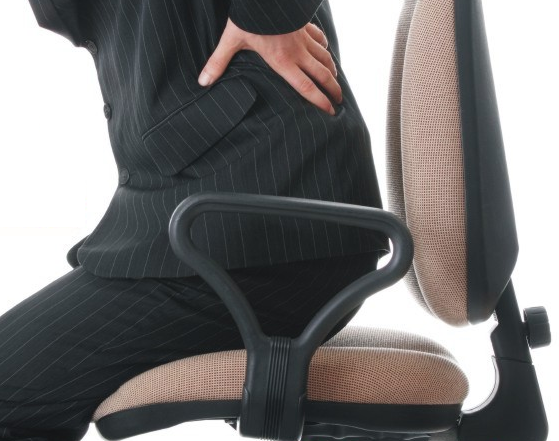
This needn't happen!

The problem with office seating often starts with the fact that most people don’t realise how little they know about their posture.  “I don’t need to be told.  I’ve been sitting all my life” is the prevailing attitude.

Recent publicity about the BBC’s move to Salford summed it up.  The poor old Beeb is always on a hiding-to-nothing with this sort of story but a perfectly sensible (and employer’s legal obligation) plan to ensure that personnel have the right chair and know how to use it was met with this brilliantly ill-informed comment from John Whittingdale, the Conservative chairman of the Culture, Media and Sport select committee: “This is the kind of thing that risks making the BBC a laughing stock. I think most people would feel capable of deciding how to adjust their chair without professional advice from an employee of the BBC”.

Even more laughable was the comment from Karen Garrido, leader of the Conservative group on Salford council. She said: “I can’t believe we need to teach people how to sit on their chairs. They aren’t children”.

These are two classic cases of the old politician’s adage “Don’t let ignorance stand in the way of a good soundbite”.

Coupling good chairs with well-trained users will help to minimise musculo-skeletal issues, aid breathing, improve wellbeing and enhance productivity.  We have provided thousands of chairs to individuals whose problems have been brought on by poor posture and the many physiotherapists, chiropractors and osteopaths we talk to have countless stories about avoidable pain and discomfort.

The simple truth is that most of us lead very sedentary lives these days and too few of us think about our posture, our chair and how it’s set up.


Absenteeism & Presenteeism

June 12, 2011

Recent reports show that average sickness absence fell from 6.7 to 5 days in 2010, the lowest for over two decades. The EEF/Westfield Health survey also found that 45% of employees had no time off at all. Data from 454 employers demonstrated a number of factors, including the impact of the fit note, line managers taking greater responsibility for absence management and employers funding private health care.

What I cannot find anywhere is any recent data about presenteeism (lost productivity through people at work but feeling and performing below par). This is obviously hard to measure but it seems logical that, in a troubled economy (with increased unemployment and reduced job security), people might be concerned about taking time off. Can we then infer that some of the improvement in absenteeism statistics can be attributed to presenteeism? That is, people are still sick but just not taking time off. We may never know!

The presenteeism research that does exist suggests that its cost is dramatically higher than the cost of absenteeism.

There are many ways that ergonomics interventions can impact presenteeism and we are always looking for simple ways to assess their success (or otherwise). Such implementations should always enhance wellbeing and performance but their impact may be hard to measure.

The Work Screen tool (reviewed in our October 2010 webinars) assesses “Work Instability” using a unique scale incorporating both physical and psycho-social factors. This enables employers to identify those struggling with their workload and formulate an action plan to address their needs. Subsequently, further Work Screens can be carried out to assess the effectiveness of the interventions.


Post-Mounted Laptop Stands

May 9, 2011

Post mount laptop stand with extra monitorHaving championed the use of laptop computer stands from the outset, we had already sold more than 50,000 units when I stopped counting a few years ago.  For a long time, all models were free-standing versions with the principle decision being a simple choice between a portable unit or something to leave on the desk all the time. Of these, our best seller (by a significant margin) has been the Flextop.

More recently, post-mounted laptop supports started to appear. These have been introduced by monitor arm manufacturers, taking advantage of existing products and adapting them to accommodate the laptop.  In the past, we have not actively promoted these because we found that the free-standing units usually offered significant advantages, both in terms of flexibility and in ergonomics. However, enquiries for post-mounted products have increased recently and there appear to be two primary reasons.

As more and more organisations replace desktop computers with laptops, a legacy estate of monitor arms exists. Almost all of these can be modified easily by attaching a laptop plate to the existing VESA bracket.

More significantly, a growing number of laptop users are adding an additional monitor in the office. In turn, this scenario may be arising out of the surplus monitor inventory created by desktop computer users migrating from two monitors to one large one! In such applications, a twin-arm post-mounted system will provide an integrated mount for both computer and screen. The fact that many existing post-mount monitor arms can be adapted by adding an extra limb and plate for the laptop can make this a very cost-effective solution. If the laptop is replacing a desktop computer, it may also be possible to use the original keyboard and mouse.

Questions to think about for the best cost/performance ratio:

Am I using an extra monitor?
Do I need to use a laptop stand outside the office?
Do I need to use a document holder?
If I am migrating from a desktop to laptop computer,
– do I already have a monitor arm?
– if so, does the VESA bracket tilt level enough to take a laptop plate
– can I use the old keyboard and mouse?

Costs can vary significantly so it is important to identify clearly what equipment you have already and what is your optimum configuration outcome before trying to narrow down product choices.


Behaviour Change

April 5, 2011

I have been discussing behaviour change a lot recently.  Initially, this was because of two new products aiming to bring about behaviour change in the workplace.

The new products are CtrlWORK personal efficiency software and the Back-Track manual handling tool.  Back-Track has an obvious and rapid impact on behaviour.  It’s one of my favourite new products because it’s simple, obvious and effective.  It also produces really effective management data.  CtrlWORK is a much slower-burn product but I am confident of great results in time.  It has already been well-received by over 250,000 users in the Netherlands and initial U.S. feedback is exciting.

These conversations got me interested in the whole concept of behaviour change and I decided to find out a little more about the process.  I don’t claim to be any sort of expert but my brief research has given me some valuable insights.

A good starting point is The Stages of Change Model (SCM), developed over 30 years ago by James Prochaska and Carlo DiClimente when they were researching smoking habits and addiction.  Interestingly, a Google search for Behaviour Change produces many pages which are drug-, alcohol- or other dependency-related.  The whole concept recognises that change is not a single continuum but a series of separate stages with different issues and tasks to be faced by the individual.  That individual  must decide for him/herself when a stage is completed and when it’s time to move on.  The fundamental concept is that such change can not be imposed: it has to come from within.  These are the stages.

  • Pre-contemplation – “ignorance is bliss”, not aware of a problem
  • Contemplation – ambivalent about change, no imminent plans for action
  • Preparation – starting to try to change, “testing the waters”
  • Action – practicing new behaviour
  • Maintenance – continued commitment to sustained new behaviour
  • Relapse – “fall from grace”, resumption of old habits

Significantly, they can be applied just as readily to moving towards a more environmentally sustainable lifestyle, creating a better work-life balance, improving time management and more.  Indeed, the comprehensive information I found at the U.S. addictioninfo.org site included this diagram (which I have also now borrowed) from Katherine Lee’s System Concepts article at http://bit.ly/oglscm which explores organisational readiness to change.

So, we are right back to ergonomics and human factors!


Worrying Research News about Teachers’ Health

April 5, 2011

Chartered Healthy Schools Physiotherapist, Lorna Taylor, has recently published results of research she has been doing with Voice, the union for education professionals.  Here are just some of the depressing statistics:

  • 88% experienced back pain
  • 73% experienced neck and shoulder pain
  • 82% experienced Musculo-skeletal Disorders (MSDs) once a week or more
  • 38% had been off work

We work with many back pain sufferers but most of them are in offices or industry.   It seems that very many teachers just “don’t like to complain” and that, perhaps as a result, too many schools pay too little attention to manual handling training and risk assessments.  You can find the full Voice report here.

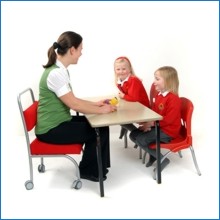
Infant school teacher's chair designed by physiotherapist Lorna Taylor

Lorna has been active in this arena for some time and has developed the Jolly Back Chair to address some of the obvious problems.  Although we have not done that much with schools in the past, we decided to sell the chair following several conversations with Lorna and our own trials.  It’s not the prettiest product in our portfolio but it definitely works!  The price point means that it costs less than a supply teacher for one day so it only needs to save one day’s sickness to more than pay for itself.  We have already sent out several on 30 days’ sale or return and we haven’t had any back yet!