Don’t stop them thinking

October 31, 2012

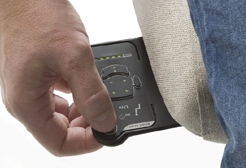
During a webinar today, we were discussing the many tools available to help individuals adopt better posture and lead healthier lives in the workplace.  Wireless technologies, low battery consumption electronics and designer ingenuity are just three of the factors that enable us to introduce new tools to prompt individuals to change their posture. The Axia Smart Chair is the latest of these products, using a similar design rationale to the Back-Track manual handling device, which can also be used to prompt sedentary workers to move at regular intervals.  We have also worked with electrically height-adjustable desks that can be programmed to “wobble” periodically to encourage users to change the desk height and, as a result, their posture.

In the U.S., the approach to better posture is very much about “supplying kit” and I wonder how much of this is due to the “fear of litigation” culture. This creates a need to provide evidence of interventions in order to minimise the risk of Workers’ Compensation claims.  By contrast, UK and European thinking is much more focused on the individual and the need to optimise performance through training in combination with improving the work environment.

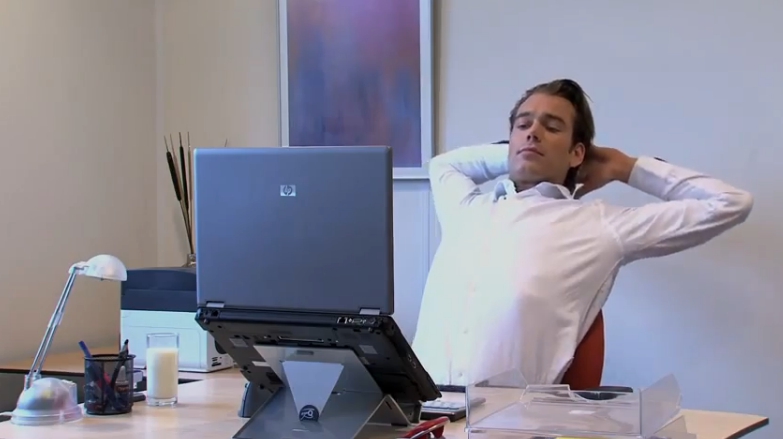
In a growing number of organisations, wellbeing projects enhance personnel resilience through coaching and education.  This is to be lauded and encouraged. There are many excellent tools and devices to enhance workplace ergonomics  (I should know – I sell lots of them!). However, products alone are not the answer and it is essential to encourage individuals to take responsibility for their own welfare by creating an environment to aid behaviour change.  Make them think!


Good Posture is a Buzz away

August 10, 2012

I often have conversations about the benefits of training. How much do people retain? Does it bring about genuine behaviour change? How long before they revert to old habits? I am not a specialist trainer so I have no intention of exploring the psychology of training in general. However, I am very interested in posture training and the long-term health benefits of good ergonomics.

As I have stated elsewhere, many office furniture suppliers offer no training at all when they install products.  Some of the more specialist seating suppliers do the “how” training (what the knobs and levers do) but it’s really important that users also understand “why” (what is a good posture and why is it important to set up the workstation properly?).

We know that a good chair, no matter how good, may provide little benefit unless the user is properly trained to optimise the features it offers. That is why we place such emphasis on this training – and on support tools such as the free Posture Guidance. But the big question still exists about how much of the original training and good behaviour is retained and sustained over time. If someone has a bad back or existing musculo-skeletal issues, it’s likely that self-preservation will encourage them to adopt good practice but that is less likely for those with no current evidence of MSD problems.

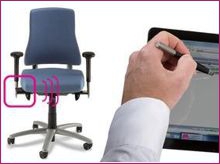
What would happen if you released the user from this responsibility and let the chair do the work by warning (with vibration and an audible buzzer) when poor posture occurs? What if you could take a good chair and make it “intelligent” – monitoring the user’s position on the seat and their contact with the back rest? What if you could track this data and provide feedback to users, management and Occupational Health? What if this technology was readily available, affordable, easy to set up and simple to use?

In my case the answer to all these “what ifs” is that I would be rather excited. And I am! I don’t normally blog about a specific product but I genuinely believe that the new BMA Axia Smart Chair has achieved an ergonomist’s Holy Grail.

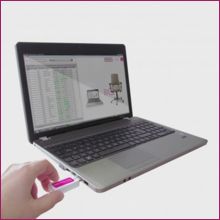
Trials in its native Netherlands have been highly successful and we are just starting to look for projects in the UK.  All the technology is contained in the seat pad and back rest so the rest of the chair is a standard BMA Axia Office model. Furthermore, you can convert an existing Axia to a Smart version in less than 5 minutes.  And the extra cost is much less than I expected.

After 20 years in workplace ergonomics, I am usually rather cynical about the claims of new products.  I have been disappointed so many times!  However, I think the claims made for the Axia Smart Chair are actually rather tame in relation to its potential. I love what it does. I love the simplicity. I love the price. I love the fact that it just works!  We also have over a year’s successful experience with the Back-Track manual handling device which uses similar technology to correct bad lifting habits.

At the time of writing, we still have to run some field trials to ensure it fulfils all its promises but the proven projects in the Netherlands suggest I shall continue to be impressed.


Closing a Building is the Beginning, not the End

July 30, 2012

There are many reasons for initiating a Smart Working project but one of the most common is the need to reduce real estate.  Defining the project, identifying appropriate personnel and job roles, establishing procedures, managing consultations and setting the roll-out agenda and timescale are all significant projects in their own right.

As a result, it is very easy to focus on closing buildings and “getting people out there” (whether that means home, hub or hot-desk working).  But what happens once they are “out there”?

It is quite possible that some (or all) of the original project team may be redeployed or disbanded at this stage – just when the real, long-term projects are beginning.  Whether the challenge is showing managers how to manage staff no longer under their constant supervision or showing those same staff how to manage themselves when they are not constantly supervised, there are new procedures to be created, resources to be provided and progress to be tracked.

It is also important to appreciate that problems arising out of failure to manage the new culture effectively may take some time to become evident (in much the same way that reduced absenteeism is almost certainly masking increased presenteeism in the current economy).

To ensure that Smart Workers are effective wherever they “touch down”, here are 10 simple rules.  They are by no means comprehensive but give a good overview and, for clarity, focus principally on computer users:

  1. Ensure they have proper health and safety training appropriate to their new environment.
  2. Ensure you provide clear guidance about appropriate behaviour.  Don’t take it for granted that common sense will prevail!  If they spill boiling water on themselves whilst making coffee in their own home during work hours, or trip over the cat whilst getting their laptop out of the car, or set up their workstation on the landing and roll their chair away from the desk and down the stairs, how can you minimise the likelihood of, and your liability exposure to, such events?
  3. Think about the physical ergonomics.  If they work at the kitchen table on a dining chair at the wrong height and use a laptop without a separate stand, keyboard and mouse, then musculo-skeletal problems are almost inevitable.  Back, neck or upper limb pain will, at the very least, inhibit productivity.  In the longer term, this may lead to absenteeism and, potentially, litigation.
  4. Provide guidance about posture.  Assuming the equipment makes good posture possible, personnel need to be trained to understand what good posture is, how to achieve it and why it is important.
  5. Carry out proper risk assessments. A home workstation will be very different from something provided in the office.  Use a DSE risk assessment that is specifically designed for home workers.  A computer-based version will be easiest to manage.
  6. Set up a mechanism to remind and prompt users to take breaks, step away from their desk, stretch and refocus.  This can be done through periodic email reminders, internal chat/social media tools or dedicated software such as CtrlWORK.
  7. If they spend a lot of time on the telephone, ensure they use a headset.
  8. Make sure that any equipment you provide is simple to use and obvious to set up.  If not, assume it won’t be used!
  9. Check regularly that individuals are coping.  Is the new way of working matching their work-life balance expectations? Are they managing the workload?  Are they feeling isolated?  Early recognition of problems and prompt interventions to address them are essential.
  10. Cut them some slack!  If they want to start work at 07:00am and then walk the dog for two hours at lunchtime, think seriously about whether the business can accommodate that and whether it will significantly increase both productivity and job satisfaction.

In one of my recent monthly eBulletins, I provided a list of the tools we offer to address all these issues.  More details here.  As always, I welcome comments, ideas and challenges !


Specialist Seating in Shared Environments

July 6, 2012

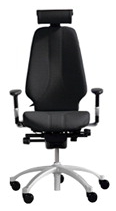
RH Logic 400 office chairDuring a site tour at a Smart Working network meeting this week, there was a brief discussion about how to deal with bespoke “Occupational Health” chairs specified for personnel in hot desking environments. These offices are intended, by definition, to provide generic layouts suitable (as far as possible) for anyone and everyone. If, for instance, one employee has a particular chair recommended because of a back injury (or other musculo-skeletal problem), the management of this non-standard chair could disrupt the smooth operation of the office and reduce the effectiveness of the hot desking arrangements. During the tour, there were ideas suggested about getting the Facilities team to keep such a chair locked away when not required but this is clearly sub-optimal.  Whilst it may ease the pain of the individual for whom the chair is supplied, it creates a very different sort of pain for others!

As a supplier of thousands of these “specialist” chairs, it seemed right that I should provide some guidance for this situation.

Here is Stage 1 of my suggested procedure:

  1. Choose a supplier who understands your requirements. This is not just about the correct chair specification but also about your operational needs.
  2. Ensure that the supplier delivers the chair and arranges set-up and training by an experienced operative who can demonstrate to the user what they need to achieve (in terms of set-up and ergonomics) and how to do it (what all the knobs and levers are for). Our own installation personnel have all completed a 2-day Advanced DSE Assessors’ course to ensure that they understand why the chair was supplied and what it must achieve.
  3. Allow your employee about an hour with the installer to be fully trained and familiarised with the chair so that he/she is completely confident about how to adjust it.  Do not rush this! If it takes longer, be patient. This is time well spent.
  4. Sample image from the animated posture guidanceEnsure that the user is provided with printed (or, better still, online) instructions about posture and workstation layout as well as chair adjustment controls so that they know what they want to achieve and how to do it. If possible, arrange for the creation of links to online resources from within your intranet.
  5. As a final line of ongoing support, your chair supplier should provide a business hours telephone help line providing instant access to someone who is familiar with that type of chair and can talk a user through the set-up process.  (Our Customer Service team also complete the 2-day Advanced DSE Assessor course). If you are also supplying “specialist” chairs for home users, the help line number should be 0800 or a similar freephone facility.

You now have a fully equipped and supported individual who is confident about adjusting and readjusting their chair so you are ready for Stage 2.

  1. Declare that the individual for whom the chair was specified has sole right to its use when in the office.
  2. At all other times, it can be used by anyone.
  3. Ensure that all potential users know how to access the online posture guidance, chair instructions and telephone helpline.

Once this is implemented, you may consider that a Stage 3 is needed (or perhaps I should call this Stage 0)! If you did not provide proper training for users when the generic seating was provided, it is very likely that many (possibly most) people are sitting in badly adjusted chairs. Their posture could therefore be creating potential musculo-skeletal problems in the future. My recommendation would therefore be:

  1. Go back to your contract chair supplier.
  2. Ask them to provide training and insist that this training contains the two complementary elements. Many suppliers do the “how” training (what the knobs and levers do) but users need to understand “why” (what is a good posture and why is it important to set up the workstation properly?).
  3. Get the training and instructions incorporated into your intranet because printed instructions tucked under the chair seat are very often ignored and prone to getting lost.
  4. Make sure the supplier has a help line for those who need to be talked through the set-up process again.
  5. If all these services are not available, perhaps you should review your supplier!

Of course, all of these principles will also apply to the configuration of monitors, foot rests and any ancillary equipment. Indeed, any thorough training and set-up will incorporate them into the process. I should also mention that there may be some chairs which will be quite unsuitable for anyone but the specified user and for which this procedure will not work, but these will be a small minority.

Setting up an office workstation is like adopting a good driving posiitionFinally, there will be those who read this and think it’s all a waste of time! To those people, I suggest that the driver’s seat of a vehicle is very much like a workstation. I don’t think people get into a car that was last used by somebody else and think “I know I can’t reach the brake but I don’t have time to adjust the seat”. We have worked with thousands of individuals who wish they had paid rather more attention to their chair set-up and posture so that they could have prevented, delayed or reduced their current musculo-skeletal problems!


If it’s not easy, they won’t use it!

July 4, 2012

I see lots of new products and many pre-production ideas.

I find that the problem with product designers making ergonomics claims is the conflict between a) the fact that ergonomics is such a holistic discipline; and b) the reality that many designers are focused on addressing one specific issue.  This may result in a design which is brilliant at addressing that one specific issue but ignores the others.

The effective application of ergonomics principles usually involves compromise. The real conundrum for the designer occurs when it becomes necessary to reduce functionality in order to improve usability. As I once said to a chair designer: “it doesn’t matter that this could fit 95% of users if 100% of users don’t understand how to adjust it”!

We see a regular flow of products with a sound concept and good execution but with a fundamental question about how people might use them unsupervised. Might they set it up wrong, fail to set it up at all or, worst of all, set it up in a way that might do them harm?

These experiences have all come to the fore recently in discussions about Smart Working.  If personnel are working unsupervised at home or in public places, what can be done to maximise the likelihood of them adopting good postures and using their tools and equipment properly?  Obviously, the first answer is good training and the second is finding tools to monitor and remind them (such as CtrlWORK, in the case of Windows computer users).

Alongside this, it is just as important to ensure their equipment is intuitive and as easy to use as possible. Laptop stands that look clever because of their sophisticated folding mechanism are not much good if users never bother to take them out of their smart leatherette slipcase. Equally, providing Bluetooth wireless keyboards or mice is a really good idea if, and only if, the Bluetooth connection is instant and consistently reliable. The same rationale applies to the intuitive use of chairs and monitor arms in hot desking areas.

The pressure on employers to offer BYOD schemes shows that many users are willing to provide their personal smart phones, laptops and tablets for use at work.  There’s a simple reason for this – they are easy to use!


Millennials: Challenging Workplace Thinking

June 11, 2012

I was fascinated by Gerry Taylor’s Boomers and Millennials research in late 2011 and heard him speak at the Orangebox presentation during Clerkenwell Design Week 2012.  Inspired by his findings and my own interest and involvement in the growth of Smart Working and BYOD (Bring Your Own Devices) projects, I have been thinking a lot about the inevitable changes that these three initiatives will bring about and the operational relationships between them.

Millennials (generally accepted to be those born between about 1980 and 2000) already have very different values from the Boomers (or Baby Boomers) born between 1946 and 1964.  This will inevitably impact workplace practices and, as a result, workplace design.

Before 2000, there was enormous concern about the “Millennium Bug”. This possible glitch in computer date calculations turned out to be a complete non-event and we can now see that the focus should have been on the population that has come of age since that date because its impact on the workplace will be monumental.

Most significant are their values, aspirations and expectations.  Many have been brought up with very supportive parents in an education system that avoided differentiation between winners and losers or any form of competitive sport.  As a result, they believe they are invincible! The management challenge here is obviously to channel that energy without crushing their dreams!  Offering them flexibility about when, where and how they work is potentially one element of this nurturing style of management and mentoring.  Management by objectives and outputs rather than by inputs is another.  These are key factors in a good Smart Working programme.  More ideas about managing Millennials can be found here.

Another obvious trait of Millennials is that they are “always connected”.  They thrive on social media and may seem surgically attached to their smartphone.  But the word “smartphone” now seems almost a misnomer since its use for telephone calls seems to be diminishing.  After emailing, texting, poking, pinging, tweeting or BBMing, phoning is more or less the last resort!  This means that communications styles will change and evolve, probably faster than they have ever done before.  Organisations who provide email management or brand voice training to protect corporate culture and values will need to consider a much broader set of media.

There are many statistics about the rapid growth in internet access from mobile devices but one that points most readily to Millennial users is that 50% of all online sales for Mother Day 2012 came from mobile devices.  As their personal and work activities merge, these users will obviously be pressing for BYOD to optimise their user experience, regardless of time, location or circumstances!

This flexibility of IT and communications devices and methods of work will suit the collaborative style of Millennials and their workplaces will need to reflect it.  Perhaps they will redefine our expectations of Smart Working. Perhaps they will bring about the invention of totally new environments and concepts.

These are exciting times!  This short piece touches on only tiny segments of an enormous, evolving canvas – which dissolves and reappears before your eyes.

What are your experiences? Are you a Millennial or do you manage Millennials?  Tell me what you think.


B.Y.O.D. (Bring your Own Devices)

June 11, 2012

There is growing demand for employers to offer their people greater flexibility and choice in their use of technology. A comparatively new option is that the user chooses their own technology and brings it from home. Organisations may find this starts with their CEO asking to access corporate email on his/her iPad but the potential for this to escalate is substantial and inevitable. “BYOD” is here to stay!

This is partly because, for the first time in history, domestic and personal technology at least matches and very often exceeds the specifications of products used at work. How many corporate employees have a Blackberry for work but prefer their personal iPhone?  Similarly, how many iPhone or iPad users have also purchased a MacBook for use at home (or for their children) and, as a result, become disenchanted with their Windows PC at work?

There is no doubt that Apple has been largely responsible for much of the impetus but the situation is more complex.  Here are some other important factors.

  • BYOD addresses a key factor in the growth of Smart Working. People most commonly think about the “where” and “when” of Smart Working but BYOD directly addresses “how” people work. Giving personnel increased technological flexibility adds to their comfort, engagement, motivation and acceptance of changing work practices.
  • The growing influence of Millennials in the workplace brings new expectations and demands. This group grew up with Facebook: Millennials take an “always on” culture for granted.  They are, by nature, incessant technology users and will be at their most productive with devices and applications they use personally as well as for work.
  • Organisations who already have BYOD programmes in place confirm the increased productivity and motivation but have also noticed significant reductions in devices lost.
  • Commercial pressure on employers may cause them to view BYOD as providing potential cost savings (although this will probably prove to be untrue).
  • Increased use of cloud data storage and SaaS (Software as a Service) actually makes it easier to deploy a BYOD programme within many organisations.

The biggest obstacle to BYOD is the issue of security. It has been described as the greatest challenge to corporate security “since Windows computers were connected to the internet”. To address this, many technologies and systems are available and a broad range of specialist suppliers and consultants has emerged to meet the need. The PC Pro magazine article (August 2012) by Tim Anderson provides good advice for those considering a BYOD project.

Less debated but also very significant is the matter of ergonomics. This is even more important when BYOD coexists with a Smart Working programme. If your personnel elect to use a non-standard mix of computers and mobile devices, it may no longer be possible to provide standardised equipment (e.g. docking stations for laptops), even in the office. Using tablets for long periods can also create all sorts of postural problems. It is essential to create a systematic approach to these challenges. Where appropriate, a mobile worker option list can be integrated into an equipment shortlist for home workers and/or the risk assessment programme.

Finally, embracing BYOD also needs culture change within corporate IT departments.  Historically, they have dictated and enforced technology policy. Now they must be responsive to changing demands or, if possible, stay ahead of the demand.  Here is a further parallel with Smart Working in the need to change management style.  The management of Smart Workers requires a move to measuring work outcomes rather than inputs and, in a similar way,  BYOD requires a move from the prescriptive IT management approach to a much more dynamic and responsive model.

Are you already involved in a BYOD roll-out? Or thinking about it? We would love to hear your thoughts and experiences.


Smart Working – What is it?

May 8, 2012

When you want to describe ways of working beyond a dedicated personal desk or workplace, the list of expressions seems to be endless.  Many names or phrases (such as home working or flexitime) are self-explanatory but others, like smart working or agile working, may need explanation, if only to clarify what the writer/speaker means and to set a context for the discussion.  To confuse matters further, references to “new ways of working” continue to appear, even though some of the ideas and practices to which they refer are up to 20 years old!  I favour the expression Smart Working (with capital initials) because it encompasses much more than just the physical location of the activity it describes.

Smart Working recognises that methods of working will continue to evolve and it provides a framework for integrated research, discussion and implementation of all the factors involved, including location, time, equipment, telecomms, workload management, work-life balance, sustainability, psycho-social factors, legal considerations and many others.  It is important to recognise that the arguments in favour of Smart Working are overwhelmingly strong but there are many negative factors to be considered and accommodated in the process, not least the simple facts that many individuals find it hard to cope with working alone and managers need to realise that a “bridge to engine room” style simply will not work and an output-focused method is essential.

Smart Working is, therefore, an enormous – and fascinating – topic. My own experience started with the simple process of supplying laptop kits and workstation accessories for mobile workers.  As I have become more involved and more curious, it has become clear that successful implementation requires careful planning.  Such programmes may begin with an exercise to reduce property overheads or a decision to issue laptops instead of desktop computers but it is essential to involve many disciplines and consider all factors.  I plan to explore more of these topics in due course but would welcome any comments, thoughts or experiences.

If you are new to the concept, you will find The Smart Working Handbook an invaluable information source.  And if you are “an old hand”, you will probably already be considering the recent BYOD (Bring Your Own Device) trend which will have significant impact on organisational communications, IT and management thinking.


Conferences, Exhibitions & Cultures

March 12, 2012

I have been attending international conferences and exhibitions since 1978.  I find that they provide a valuable insight into not only market and product trends but also, and probably more significantly, differences in international attitudes.  In 1978, I attended exhibitions in Tokyo and Chicago within a fortnight of each other and the national differences were dramatic.  My most vivid recollection of the contrast was the attitude of taxi drivers to tipping at that time:  a Japanese taxi driver jumped out of his car and came running after us to hand back our tip (he would have been offended by it).  In Chicago, one cabbie waited with his hand open until we had proffered a tip of suitable value!

My other recollection of differing national attitudes was my first experience of karaoke in Tokyo.  In those days, there would be a jukebox in the corner of a bar with a microphone attached.  Anyone could simply pick up the microphone and sing along to the record playing.  I remember thinking that there could be no circumstances in which such a concept would ever catch on in the UK.  A few years later, popular karaoke bars started to appear with computerised machines showing “bouncing ball” lyrics on-screen and using specifically recorded instrumental soundtracks!

In the world of workplace ergonomics, I have learned that the U.S. approach to office workstations is significantly different from Europe.  Apart from the most obvious manifestation (abundant keyboard trays in North America and hardly any in any other country), the lack of legislative imperative in the U.S. ensures that “workers comp” (insurance compensation for injured workers) is a primary driver, whereas various E.U. directives drive European interpretations.

Even across Europe, the level and nature of ergonomics activity in the workplace varies dramatically.  Whether you compare France to Germany, Sweden to Benelux or Denmark to Ireland, the principles may be similar but the outcomes can vary quite significantly.  In particular, ergonomics activity in the European countries around the Mediterranean is far less significant than in Northern Europe.  Perhaps plenty of sunshine and a long lunch break is the most effective ergonomics intervention!


RSI or BPS?

December 12, 2011

Since we started working with Work Screen, I have become increasingly interested in the psycho-social factors surrounding the many musculoskeletal issues we address each year.  I’m not any sort of expert (I’m no more than a beginner) but I have researched the topic, attended resilience training and had many discussions with experienced professionals so I’m coming to understand more of the “bigger picture”.

What certainly seems to be the case is that, where we assist individuals with apparent musculoskeletal problems (bad backs, upper limb disorders, etc.), it is apparent that issues beyond the purely physical are becoming increasingly relevant.  At the moment, these observations are entirely anecdotal but conversations with physiotherapists, GPs and others suggest my observations are well-founded.

So how does an employer address the biopsychosocial (BPS) needs of their personnel?  Many of the people we deal with are working longer hours with fewer resources than a few years ago.  Most organisations in both the public and private sector are still cutting back or, at the very least, maintaining strict controls over costs.  As I have explored elsewhere, reduced absenteeism statistics may be concealing increased presenteeism.

Wellness or wellbeing programmes are becoming more widespread and, it seems to me, there is a clear need to provide personnel with more information and guidance to increase their resilience.  I don’t pretend to have answers – just questions!  I welcome feedback from anyone who can tell me more about this topic.  I think its relevance will continue to grow over the next few years.